HTU Account
Are you getting a message like “User not found”?
- Then your account has not been created yet. Please send an email to “admin@htu.at”
With this account you have access to:
- HTU Cloud (cloud.htu.at)
- zulip.htu.at
- survey.htu.at/admin
- ticket.htu.at
- webmail.htu.at
If Password Forgotten
- On https://ipa.htu-wien.ac.at/reset/ enter your username and click “Reset Password”
- You will receive a token sent to your email account, which you must enter on the page
- Then choose a new password and click “Submit”
If Password Still Known
- Log in at https://ipa.htu-wien.ac.at/
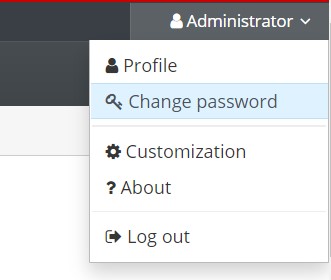
- Click on your own username in the top right corner and select “Change Password”